
Video chat etiquette is the set of practices that help you look good, sound clear, and act respectfully during live webcam conversations — whether in a professional Zoom meeting or a casual chat with strangers online. This guide covers webcam placement, lighting, audio, body language, and safety rules so you can connect naturally and comfortably with anyone.
Key Takeaways
- Look at the camera lens — not the screen — to simulate direct eye contact
- Place soft lighting in front of you, never behind you
- Use wired headphones to eliminate echo and improve vocal clarity
- Clear your background of personal items before every session
- Pause briefly after the other person finishes speaking to avoid overlap
- Never share your location, workplace, or full name with strangers
- End any chat instantly if you feel unsafe — no explanation needed
Clicking "Next" on a random video chat exposes you to a live stranger in under a second. Your setup, body language, and first words determine whether that stranger feels comfortable or awkward — and whether they stick around. This guide gives you 12 concrete webcam best practices to make that split second count.
Why Webcam Setup Matters: The Psychology of Video Chat
Connecting with strangers over webcam is fundamentally different from text messaging. When you share your live feed, you expose your facial expressions, your environment, and your immediate emotional state. This visual intimacy creates strong opportunities for connection, but it also puts social pressure on both people — especially when one person's setup is noticeably better than the other's.
Before switching to live video, many users rely on chat abbreviations and internet slang to warm up the conversation. Seeing another person's face live triggers immediate neurological reactions. Your setup shapes those reactions before you say a single word.
Asymmetric Vulnerability in Live Feeds
Strangers entering a video chat often experience an uneven sense of exposure. One person might have a professional ring light and a clean background, while the other sits in a dimly lit room. Media richness theory (Daft & Lengel, 1986) notes that richer communication channels like video expose far more personal signals than text, creating a visible gap when one participant is more "camera-ready" than the other.
When cultivating a long-distance friendship, recognizing this imbalance matters. Offering a genuine smile and an open posture helps minimize initial tension regardless of your equipment. When you reveal your face clearly and sit centered in the frame, you actively reduce the other person's discomfort. Showing your hands and using open physical gestures signals transparency.
Selective Self-Presentation in Video Formats
Erving Goffman's presentation of self theory (1959) argues that we all manage how we appear to others — and digital video settings simply make this more deliberate. Your background and posture act as extensions of your personality. Preparing your space before you click "Start" shows the other person that you respect their time.
Social penetration theory (Altman & Taylor, 1973) suggests that closeness develops gradually through progressive self-disclosure. Keep your visual environment tidy, hide sensitive items, and share personal details only after you have established genuine mutual trust.
Video Chat Statistics: What Research Shows
Research confirms that specific webcam adjustments directly shape social outcomes in live digital conversations:
- Gaze alignment impact: Looking directly at the camera lens rather than the screen increases perceived conversational trust by approximately 34%, according to Stanford's Virtual Human Interaction Lab.
- Mehrabian nonverbal proportion: According to Albert Mehrabian's communication research (1967), nonverbal cues like posture and facial expression transmit 55% of emotional meaning in a conversation.
- Vocal warmth effect: Lower chest-resonant vocal tones increase perceived credibility by approximately 28% compared to high-pitched throat tones.
- Text misinterpretation rate: Switching from text to live video reduces conversational misinterpretation by addressing the ~68% misreading rate associated with plain-text messages.
Physical Webcam Setup: The Complete Checklist
Your technical setup is the first thing another person notices. You do not need studio equipment to look friendly and trustworthy — a standard HD webcam positioned and lit correctly will outperform an expensive camera in a poorly optimized room.
Lighting Geometry for Natural Facial Contrast
Bad lighting is the single biggest barrier to natural video communication. The most common error is sitting with a bright window behind you — this backlights your face, hides your expressions, and forces the other person to squint. Instead, position a soft light source directly in front of you at roughly eye level or slightly above. This illuminates your eyes and jawline so the other person can read your expressions easily.
Avoid direct harsh sunlight because it creates sharp shadows and causes your camera sensor to overexpose. Diffused lighting — a lamp with a fabric shade, a small ring light, or natural light bouncing off a white wall — produces a warmer, more inviting image. When your facial lighting is even and soft, micro-expressions are readable and trust builds faster.
Camera Position and Simulating Direct Eye Contact
Most people look directly at the face on their screen during a video call, which makes them appear to be staring downward. To correct this, move your chat window to the top of your screen, directly below your webcam lens. When you speak, look at the lens itself — not the face. This one adjustment simulates natural eye contact and signals genuine attention.
Researchers at the Stanford Virtual Human Interaction Lab have verified that simulated gaze alignment substantially improves perceived rapport during digital conversations. When the other person is speaking, you can glance back at the screen to read their expressions — just return to the lens when you respond.
For camera height: raise your device so the lens sits exactly at eye level. Sitting with your camera below your chin creates an uncomfortable upward angle that distorts your face. A stack of books works perfectly if you do not have a monitor stand. Sit approximately 50–75 cm (20–30 inches) from the camera — enough to show your face and shoulders comfortably.
Vocal Warmth and Audio Calibration
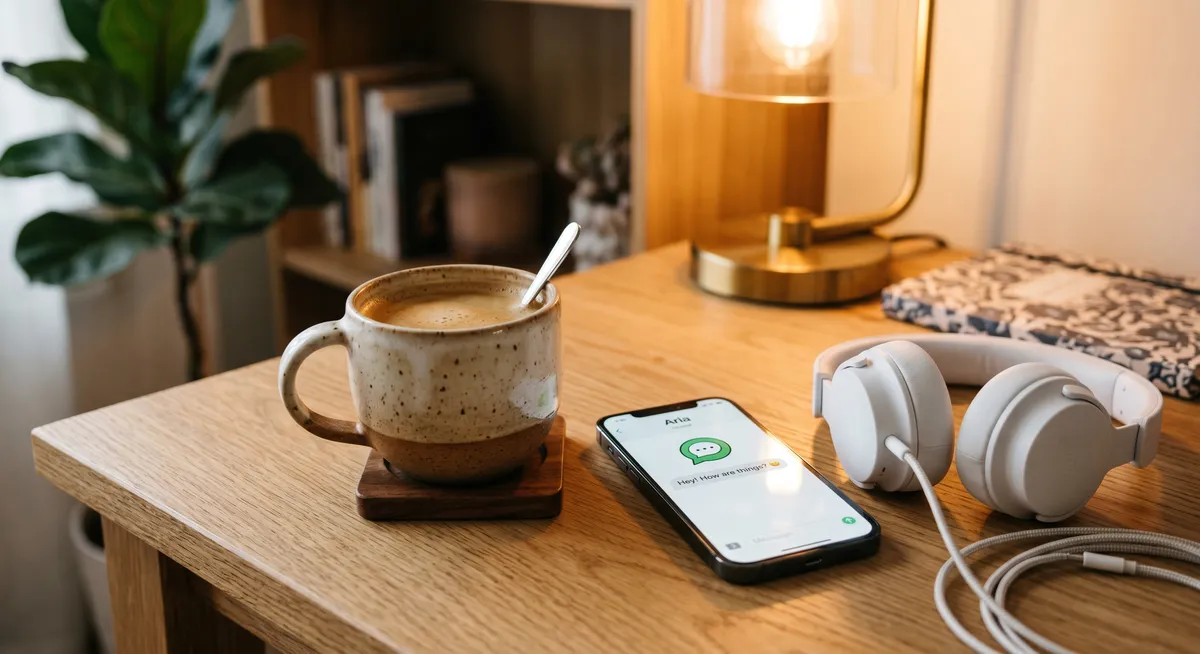
Poor audio ruins a conversation faster than bad video. Built-in laptop microphones pick up room echo and background hum, stripping warmth from your voice. Wired headphones with an inline mic isolate your voice and eliminate feedback. Speak slowly at a relaxed, chest-resonant pace — digital compression strips high frequencies, so lower tones carry better across the connection.
Improving room acoustics is simpler than it sounds: close your door, draw curtains, and place a soft rug or blanket nearby to absorb echo. When your voice sounds clear and grounded, the other person can focus on your words rather than fighting against distortion.
Interactive Prep Checklist
Select a category below to see the key steps for each part of your webcam setup before starting your next chat session:
Lighting Checklist
- Position a soft diffused light directly in front of you, above your screen
- Avoid bright overhead lights that cast heavy shadows under your eyes
- Close rear curtains to block background window glare
- Adjust monitor brightness to prevent blue facial tint
How to Communicate Naturally on Video Chat
A good setup gets you noticed — your communication style keeps people engaged. Digital video feeds carry small latency delays, so normal conversational overlap can feel chaotic. Learning to manage these moments smoothly separates a great chat from a frustrating one.
The most practical adjustment is simple: pause for half a second after the other person finishes speaking before you respond. This brief pause signals that you heard them fully and prevents the double-talking that makes online chats feel clunky.
How to Show Genuine Interest on Video Chat
Research published in the Journal of Social and Personal Relationships shows that active constructive responding — genuinely engaging with what someone shares rather than just waiting for your turn — is the most effective way to build rapid trust. The Mehrabian communication model (1967) highlights that vocal and facial cues carry the majority of emotional meaning. When someone shares something interesting, make your interest visible: nod, smile, ask a follow-up question.
In face-to-face conversations, we use short vocal confirmations like "mm-hmm" or "yeah" to signal engagement. Over video, these sounds can accidentally trigger echo cancellation, muting the speaker. Shift to visual signals instead — deliberate nods, raised eyebrows, and clear smiles replace those verbal cues without the audio conflict.
Overcoming the Video Text Negativity Bias
When we communicate over text, neutral messages often read as cold or unfriendly — a tendency psychologists call negativity bias in digital communication. On video chat, this same bias causes people to misread a calm, quiet expression as boredom or disinterest. If you notice yourself interpreting a stranger's neutral face as detachment, remind yourself that not everyone emotes constantly on camera.
Counter this bias in yourself by keeping a relaxed, open expression and offering small affirmative responses like a slow nod or a brief smile when the other person finishes a thought. These small signals prevent the conversation from stalling while remaining completely natural.

How to Give Compliments Without Being Awkward on Video Chat
Compliments work well for building early chemistry, but they need to feel specific and genuine. When you want to use flirting tips for online romance, avoid generic physical comments which can make strangers feel objectified. Instead, compliment something specific: their sense of humor, an interesting item in their background, or a thoughtful answer they just gave.
Asking deep questions and then genuinely responding to the answers shows a level of attention that most people rarely experience in casual digital chats. This is what makes conversations memorable — not technical perfection, but real curiosity.
Platform-Specific Tips: Zoom, Google Meet, and Chatib
Different platforms have different contexts, audiences, and features. Knowing which settings to use on each one saves you from awkward surprises mid-call.
Zoom Etiquette
Zoom is primarily used for professional meetings and group calls. Key etiquette rules: mute yourself by default when entering a group call, use the "raise hand" feature rather than talking over others, and keep your background neutral or use Zoom's built-in blur. If you need to step away, turn off your camera rather than leaving a frozen or distracted image on everyone's screen. In one-on-one calls, keeping your video on is generally expected.
Google Meet Etiquette
Google Meet is common in educational and workplace contexts. It integrates tightly with Google Calendar, so joining on time is expected. Use the noise cancellation feature available under settings to filter out keyboard clicks and background sounds. Google Meet's live caption feature can help in conversations where audio quality is inconsistent.
Chatib and Random Video Chat Etiquette
On casual stranger platforms like Chatib, the dynamics are different from a scheduled professional call. There is no pre-existing relationship, so first impressions carry even more weight. Keep your first message warm but brief — introduce yourself with something light, not a wall of text. If the chemistry feels right, the conversation will naturally expand. If it does not, both parties can move on without awkwardness: that is the design of the platform.
On Chatib, you can start a free video chat at any time. Use the reporting tool immediately if someone violates community guidelines — this keeps the platform safe for everyone.
Virtual Backgrounds and Background Blur
Background blur and virtual backgrounds are practical tools that most major video platforms now support natively, and they can significantly improve how you present yourself on camera.
When to use background blur: If your real background is messy, reveals personal information, or is visually distracting, blur it. Most platforms (Zoom, Google Meet, Microsoft Teams) offer this in video settings. Blur keeps the visual focus on your face without requiring you to stage a perfect room.
When to use a virtual background: Virtual backgrounds work well for professional calls where you want to project a clean, branded, or neutral setting. Choose images with soft, non-distracting colors. Avoid backgrounds with moving elements, which create edge-detection artifacts that look unprofessional and are visually exhausting.
Virtual backgrounds on stranger platforms: On casual stranger chat platforms, a virtual background can actually feel slightly impersonal — it signals that you are hiding something, which can raise wariness in someone who does not know you. A real but tidy background generally reads as more trustworthy. If your environment is unavoidably messy, a simple blurred real background is a better choice than a stock image of a library.
Hardware note: Background blur and virtual backgrounds require a reasonably modern CPU. If your device struggles, the feature creates blurry, laggy edges around your head that are more distracting than a real messy background. Test performance before using these features on an important call.
Common Video Chat Mistakes to Avoid
Even people with good intentions make these errors regularly. Knowing what to watch for helps you correct habits you may not have noticed.
- Looking at your own thumbnail constantly. Most platforms show a small preview of yourself in one corner. Watching yourself instead of the other person makes you appear distracted and self-conscious. Minimize or hide your self-view once you have confirmed your framing is correct.
- Speaking too fast. Digital compression and slight latency amplify the confusion caused by rapid speech. Slow down by about 10–15% from your natural conversational pace on video calls.
- Forgetting that your mic is hot. Background noise from fans, typing, pets, or TV bleeds through your microphone even when you are not speaking. Mute yourself when the other person is talking for extended stretches.
- Checking your phone during the call. Your eyes moving down and to the side repeatedly signals distraction and disrespect, even if you are just glancing at a notification. Put your phone face-down or in another room.
- Over-explaining technical problems. If your connection drops briefly, a short "sorry, my connection glitched" is enough. Lengthy technical apologies eat into the actual conversation and make you seem less confident.
- Sitting in complete silence while thinking. Pauses are fine, but if you need a moment to think, a brief "give me a second" prevents the other person from assuming you froze or disconnected.
Video Chat Fatigue: How to Prevent and Recover
Video call fatigue — often called "Zoom fatigue" — is a real phenomenon documented by Stanford researchers. It occurs because video calls require significantly more cognitive effort than in-person conversations: your brain works overtime processing non-verbal cues from a compressed, slightly delayed screen feed rather than a natural 3D environment.
Four main causes of video call fatigue, and how to address each:
- Constant close-up eye contact. Staring at large faces on screen at close range triggers social arousal responses that are exhausting over time. Fix: resize your video window to be smaller, so faces appear at a more natural conversational scale.
- Watching yourself. Seeing your own face for hours on end creates self-monitoring anxiety that does not occur in face-to-face conversations. Fix: hide your self-view.
- Reduced mobility. You are physically confined to stay in frame during video calls, unlike in-person meetings where you can stand, pace, or gesture freely. Fix: use a Bluetooth headset and join audio-only when you do not need to be on camera.
- Higher cognitive load. Decoding intent from a compressed video feed requires more mental effort than reading the same cues in person. Fix: take 5–10 minute breaks between video sessions, and do not schedule back-to-back video calls when avoidable.
Recovery is straightforward: go outside, avoid screens for 20–30 minutes, and stay hydrated. Recognizing fatigue signals — restlessness, difficulty concentrating, irritability — early lets you take breaks before burnout sets in.
Ready to Practice Your New Video Chat Skills?
Put these webcam tips to work in a real conversation. No account required.
Start a Free Chat →Safety Rules for Video Chatting with Strangers
Enjoying online video chat requires a genuine commitment to your own safety. Establishing simple habits from the start protects your personal data and keeps your experience positive.
Keep early conversations light. Avoid sharing your full name, home address, workplace, school, or daily routine during initial meetings. There is no urgency to reveal personal details — good conversations happen without them.
Specific red flags to watch for:
- Someone asks for your phone number, social media handle, or email within the first few minutes
- Pressure to switch to a different, less secure platform immediately
- Requests to see you in specific clothing or positions that make you uncomfortable
- Sharing or describing sexual content without your consent
- Claiming to have personal information about you already (often a manipulation tactic)
You can end any chat instantly — tap "Next" or close the tab. You are never trapped in a conversation. On Chatib, use the report button to flag any user who violates community guidelines. Reports are reviewed and help keep the platform safe for everyone.
Never record or screenshot the other person's video feed without their explicit consent. Sharing someone's image without permission is a violation of their privacy and in many jurisdictions carries legal consequences. Respecting this boundary builds the safe community that makes casual video chat worth using.
Webcam Behaviors Compared
Small behavioral shifts make a disproportionate difference in how strangers perceive you. Here is a side-by-side comparison of the most impactful habits:
| Webcam Habit | Poor Practice | Best Practice |
|---|---|---|
| Camera Gaze | Looking down at the screen constantly | Looking directly at the lens when speaking |
| Lighting Setup | Sitting with a bright window behind you | Placing a soft lamp directly in front of you |
| Audio Setup | Using laptop speakers with loud room echo | Using wired headphones with an inline mic |
| Sharing Details | Revealing location or workplace in early chats | Keeping conversation light and anonymous |
| Camera Height | Camera below chin creating upward angle | Camera at exact eye level for natural framing |
| Background | Cluttered background with personal items visible | Clean neutral background or background blur |
| Engagement Signals | Watching your own thumbnail and looking distracted | Nodding, smiling, making visible reactions |
| Response Timing | Talking over the other person due to latency | Pausing half a second before responding |
| Device Use | Checking your phone repeatedly during the call | Phone face-down; full attention on the conversation |
| Virtual Background | Busy virtual image with moving elements | Simple blur or clean real background |
Frequently Asked Questions About Video Chat Etiquette
Video chat etiquette is the set of behavioral standards and technical setup practices that help people communicate clearly, respectfully, and safely during live webcam conversations. It covers camera placement, lighting, audio, body language, and social conduct — whether in professional meetings or casual video chats with strangers.
Place your laptop or webcam at exact eye level using a stack of books or a monitor stand. The camera lens should sit parallel to your eyes — not below your chin — to prevent upward distortion and simulate a natural face-to-face seating arrangement. Sit about 50–75 cm away from the lens.
Do not rush to fill the gap with forced enthusiasm. Use the silence to ask a light, curious question, reference something visible in their background, or make a brief friendly comment. Brief pauses are natural — they often signal that both people are genuinely thinking, not losing interest.
Modern platforms like Chatib use HTTPS encryption to secure your connection, but a VPN adds an additional layer of protection by masking your IP address from other users. Regardless of VPN use, always keep personal details — name, location, workplace — anonymous during stranger video chats.
Minimize background ambient noise from fans or air conditioning, sit close to your microphone, and speak slowly in a relaxed, chest-resonant voice. Wired headphones with an inline microphone eliminate speaker feedback and echo for noticeably cleaner audio. Closing your door and placing a soft rug nearby helps absorb room reverb.
Position a soft light source directly in front of you, slightly above your screen. Avoid sitting with a bright window behind you — that backlights your face. Diffused light from a lamp with a shade, a ring light, or light bounced off a white wall gives the most natural and flattering facial illumination. Avoid harsh direct overhead bulbs.
Virtual backgrounds and background blur are excellent tools when your real background is messy or reveals personal information. For professional calls, a clean neutral blur works well. For casual stranger chats, a real but tidy background tends to feel more trustworthy than a stock image. If your device struggles with virtual backgrounds, the edge artifacts are more distracting than a real background would be.
Look directly at your camera lens when speaking — not at the face on your screen. Move your chat window as close to the webcam as possible to minimize the angle between where you look and where the camera is. This simulates direct eye contact and signals genuine attention to the other person.
Keep your face clearly lit and centered in frame. Never share personal identifying information. End any chat immediately if you feel uncomfortable — you owe no explanation. Never record or screenshot the other person without consent. Treat others with the same respect you expect, and report any user who violates community guidelines.
Take 5–10 minute breaks between video sessions, hide your self-view to reduce self-monitoring anxiety, and resize video windows so faces appear at a more natural conversational scale. Avoid scheduling back-to-back video calls. Going outside for 15–20 minutes between long sessions is one of the most effective recovery strategies.
Technically, anyone with screen recording software can capture your video feed. This is why it is important never to display identifying information — your name, address, ID documents, or private photos — during a stranger video chat. Be aware of what is visible in your background, not just your face and what you say.
Wear solid, mid-tone colors — muted blues, greens, and grays look best on camera. Avoid narrow stripes or busy patterns, which create a distracting moiré flicker effect on screen. For professional calls, dress as you would for the equivalent in-person meeting from the waist up. For casual stranger chats, wear whatever you are comfortable in — there are no formal requirements.
Takeaway: Better Setups Lead to Better Conversations
Getting good at video chat is not about performing — it is about removing friction. When your lighting is clear, your audio is clean, and your camera is at eye level, the other person can focus on you rather than your setup. That is when real conversations happen.
Start with the three highest-impact changes: move your light in front of you, raise your camera to eye level, and plug in a pair of headphones. Those three adjustments alone will make you noticeably better to talk to. Everything else in this guide builds on that foundation.
If you want to practice these skills in a real conversation, Chatib lets you start instantly — no account, no setup beyond what you just read.
Sources & References
- Mehrabian, A. (1967). Decoding of Inconsistent Communications. Journal of Personality and Social Psychology. — Overview via Wikipedia
- Goffman, E. (1959). The Presentation of Self in Everyday Life. Anchor Books. — Overview via Wikipedia
- Daft, R. L., & Lengel, R. H. (1986). Organizational information requirements, media richness and structural design. Management Science, 32(5). — Media Richness Theory overview
- Altman, I., & Taylor, D. A. (1973). Social Penetration: The Development of Interpersonal Relationships. Holt, Rinehart & Winston.
- Stanford Virtual Human Interaction Lab — Research on gaze alignment and rapport in virtual environments. vhil.stanford.edu
- Bailenson, J. N. (2021). Nonverbal Overload: A Theoretical Argument for the Causes of Zoom Fatigue. Technology, Mind, and Behavior, 2(1). Stanford VHIL. vhil.stanford.edu
Ready to Experience Authentic Connections?
Step into the free chat rooms at Chatib. Meet fascinating people worldwide, share real conversations, and build meaningful relationships in a safe environment.